You are on the right page if you are looking for the specifications of the fields to create in Eloqua to receive the HG Insights data.
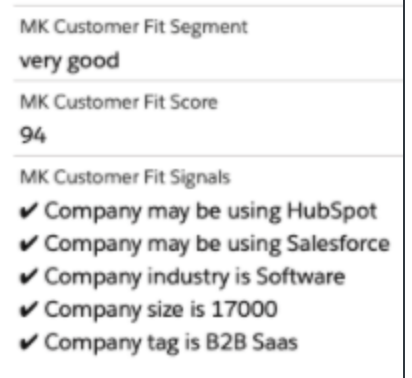
The Customer Fit and Likelihood to Buy models at the Contact level have a set of 3 fields (segment, score, signals).
The Lead Grade model at the Contact level has a set of 2 fields (segment, score)
(For a definition of the fields, please refer to this article)
Eloqua Contact Object
Customer Fit
Name: mk_customer_fit_segment
FieldType: text
Description: HG Insights customer fit segment
Name: mk_customer_fit_score
FieldType: numeric
Description: HG Insights customer fit score
Name: mk_customer_fit_signals
FieldType: textarea
Description: HG Insights customer fit signals
Likelihood to Buy
Name: mk_likelihood_to_buy_segment
FieldType: text
Description: HG Insights likelihood to buy segment
Name: mk_likelihood_to_buy_score
FieldType: numeric
Description: HG Insights likelihood to buy score
Name: mk_likelihood_to_buy_signals
FieldType: textarea
Description: HG Insights likelihood to buy signals
Lead Grade
Name: mk_lead_grade_segment
FieldType: text
Description: HG Insights Lead Grade segment
Name: mk_lead_grade_score
FieldType: numeric
Description: HG Insights Lead Grade score
Any question? Please open a ticket.