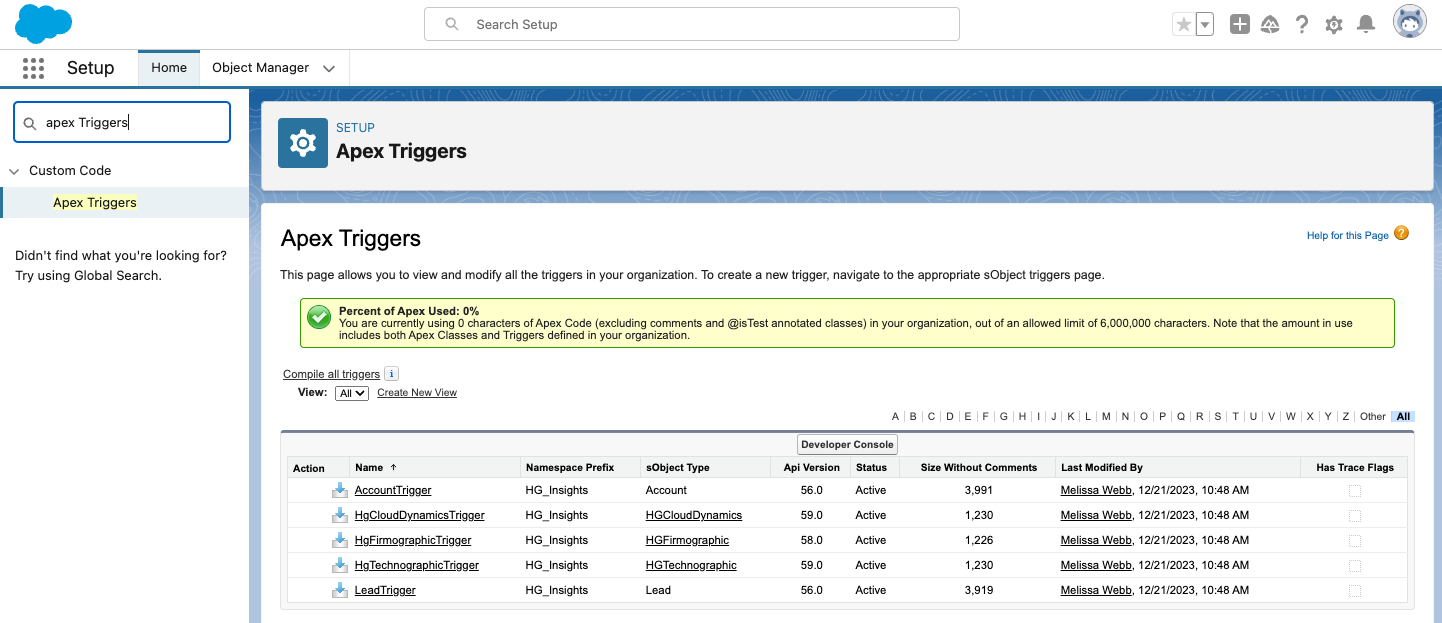
APEX triggers: AccountTrigger and LeadTrigger. These are default ON when the managed package is installed, and it is highly recommended that these remain enabled to ensure data is always updated.
The purpose of these triggers is to managed changes to the Account and Lead object that might require us to re-match and re-enrich a certain record. This includes changes to any of the fields used in matching:
For Account records:
Name
Website
For Lead records:
Company
Website
When a changed is made to the fields above, the APEX triggers will delete the HG matching information included in our own fields on the Account or Lead. This will then result in a new match either during your next nightly sync, or the next time you click Sync Salesforce in the HG Platform.
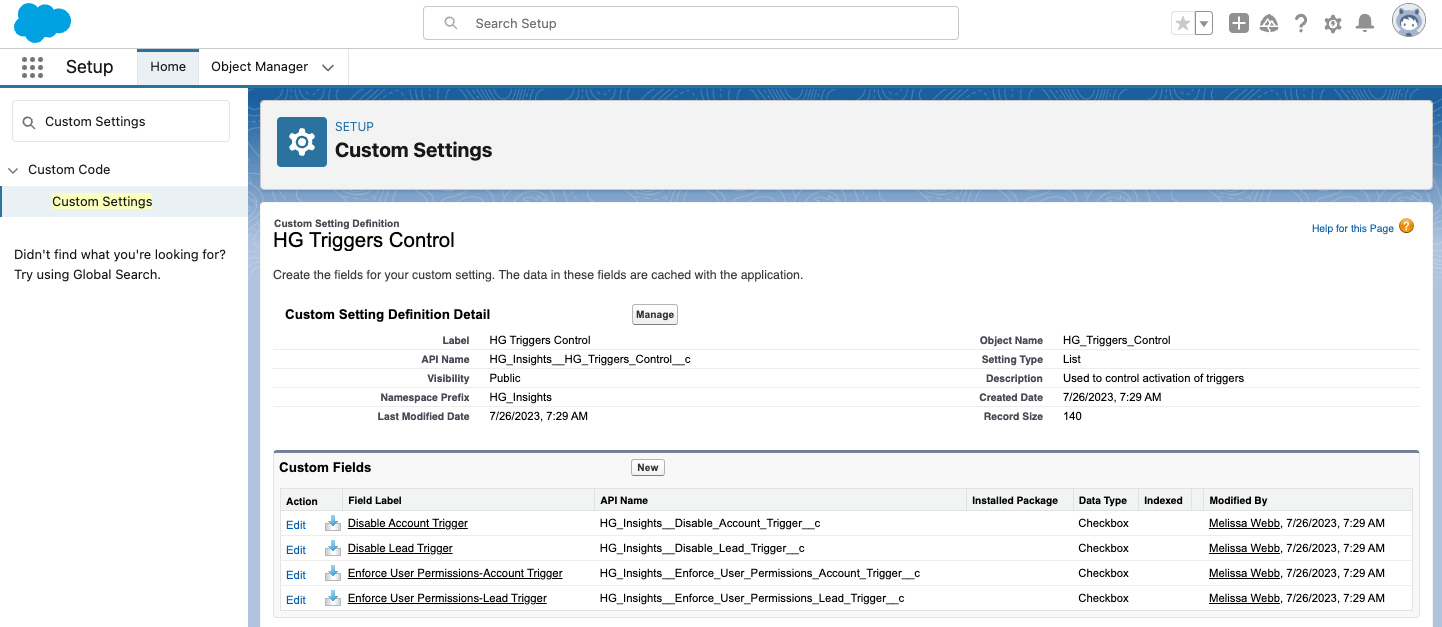
If you want to disable either trigger, you can do so by editing HG Triggers Control located in the Custom Settings in your Salesforce org.
A view of the APEX triggers:
HG Triggers Control in Custom Settings
You'll notice in the screenshot above there are other triggers included in this managed package as well - these are all default OFF. These must be either activated or configured in order to work.
For Enforce User Permissions - these triggers can be enabled if you want the integration to enforce user permissions. Specifically - if a user changes the Account name, but that user does have access to delete HG records, the integration will not delete data. This primarily covers an edge case and permission control, and is there only if you need it.