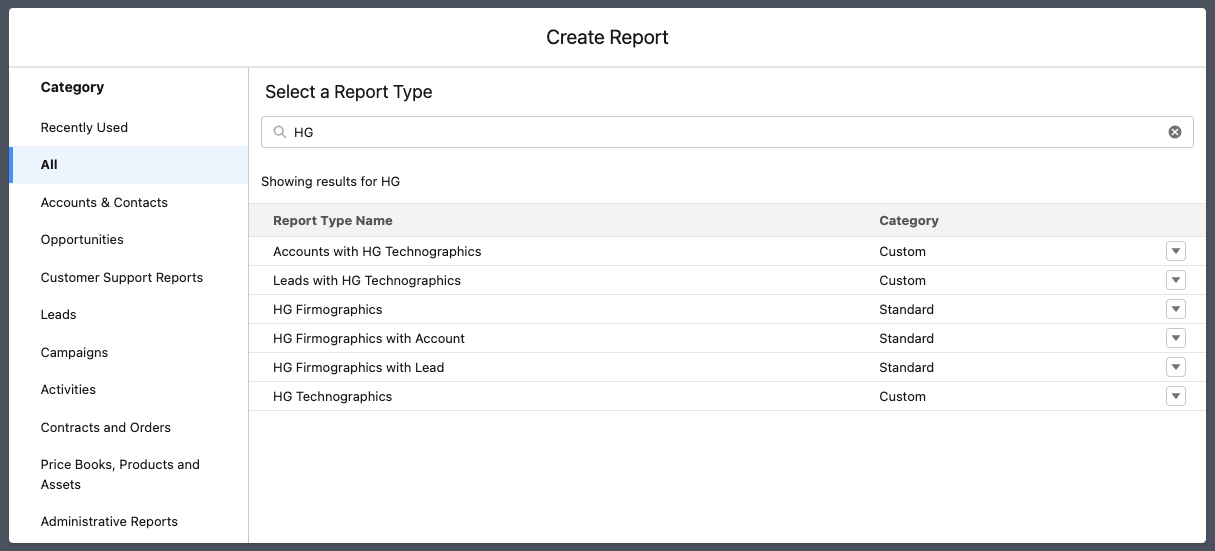
The CRM enrichment package includes 6 sample reports out of the box that can be a quick reference to how HG data is populating in your Salesforce org.
The reports are added by default when you install the integration, but are completely yours to use and modify. You can edit and duplicate these as needed, or even start your own reports from scratch.
Where to find HG Data Reports
Log to your Salesforce account
Go to Reports tab
in the All Folder search for HG Data Reports.
.png?sv=2026-02-06&spr=https&st=2026-10-06T00%3A54%3A23Z&se=2026-10-06T01%3A05%3A23Z&sr=c&sp=r&sig=zPGnzi02SlQXsz4AyhiyncBsmZFWAT6w5IUnwWOrJ3g%3D)
Here's an example of one report:
.png?sv=2026-02-06&spr=https&st=2026-10-06T00%3A54%3A23Z&se=2026-10-06T01%3A05%3A23Z&sr=c&sp=r&sig=zPGnzi02SlQXsz4AyhiyncBsmZFWAT6w5IUnwWOrJ3g%3D)
How to create new report with HG data
To create a new report using HG data,
Log to your Salesforce account
Go to Reports tab
click New Report
search for HG to find HG objects and their connections to Accounts or Leads.